Figment File Storage
About
Due to limitations of AWS Lambda only a max 4.5MB payload can be uploaded to Lambda - a hardlimit imposed by AWS.
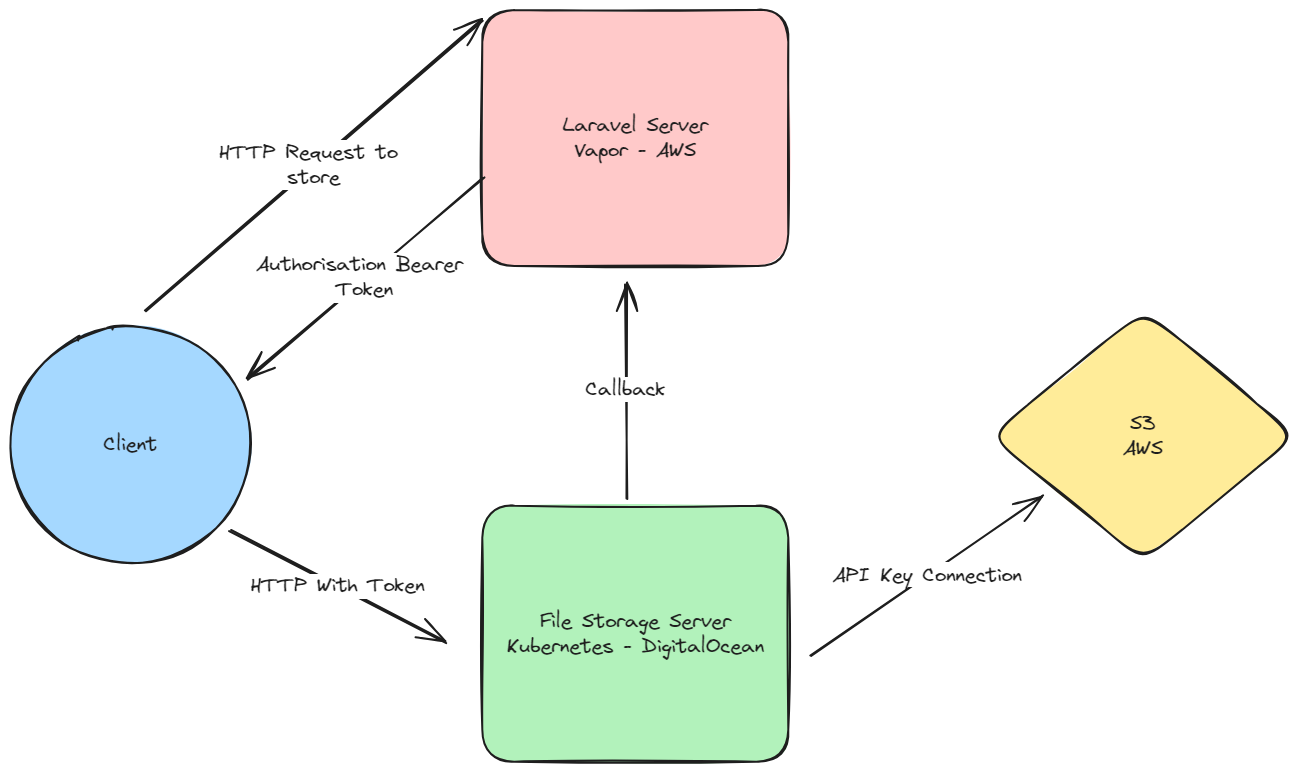
Therefore a custom microservice is required that exposes an API, where the frontend client can upload files to it and have the payload be directly placed in AWS S3 Storage. The microservice is written in Javascript and uses the AWS SDK, express and multer packages to work. The microservice also provides archive functionality that will take a list of given files and ZIP them up, then taking the compressed file and placing it back into S3. Allowing for it to be downloaded from the frontend.
Architecture relationship
Relationship between
- Client (browser, phone, tablet, app)
- Laravel PHP Server (vapor on AWS)
- File Storage Server (NodeJS on DigitalOcean K8)
- AWS S3
Download Flow
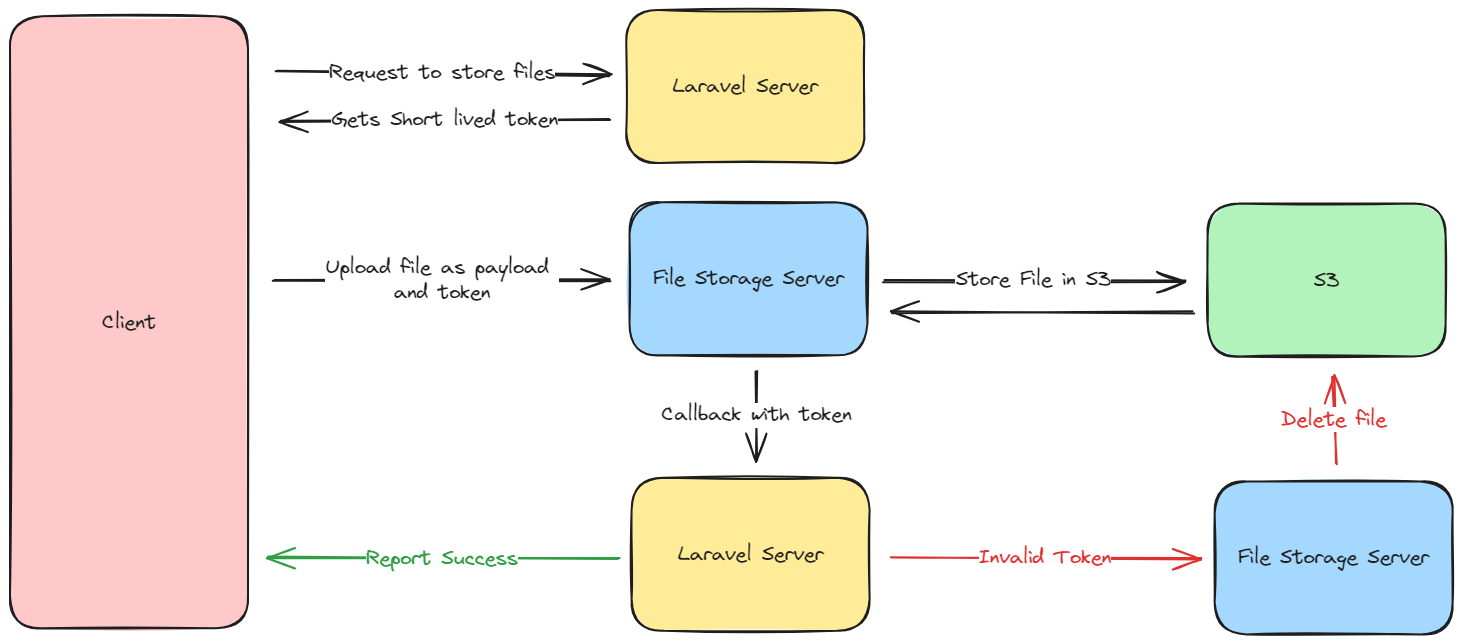
The flow that happens when a user requests to store/upload a file into Figment
Archive Flow
The flow that happens when a user would like to download a workspace/folder as a ZIP Folder.

Asset Management
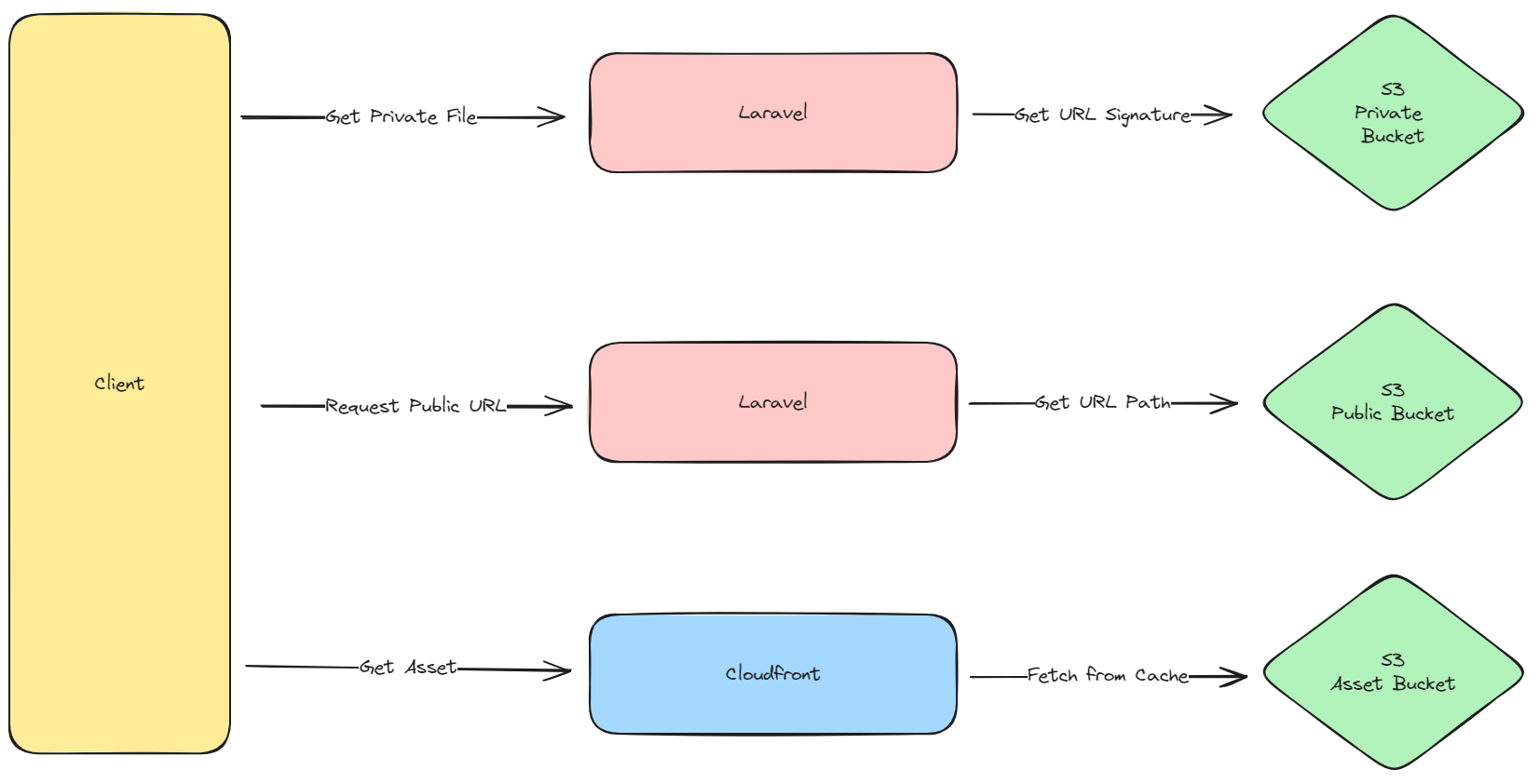
There are 3 different ways assets are stored or retrieved from Figment
The Laravel Vapor Package
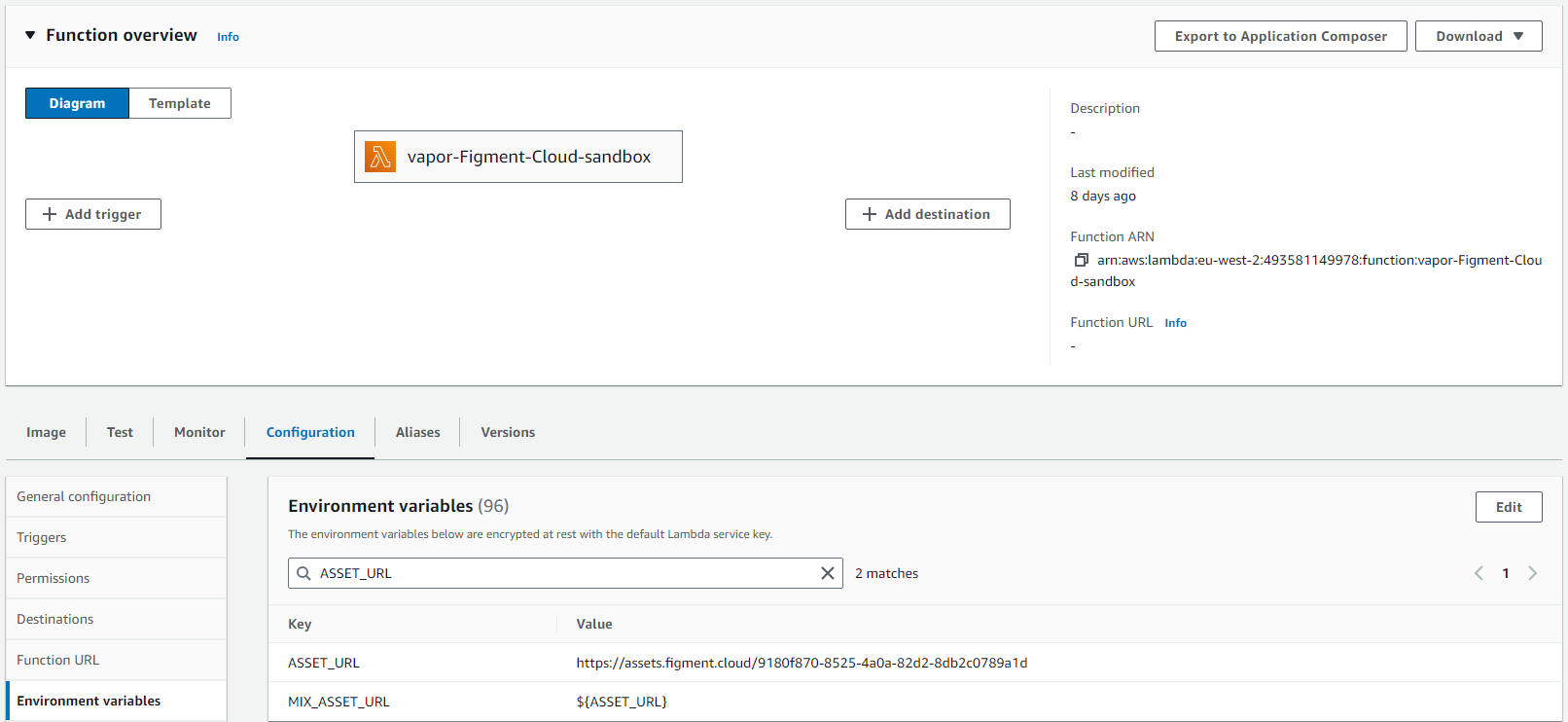
This package helps prevent images and assets being loaded via the Lambda service, also providing caching service. laravel-Vapor is a npm package that helps access assets that are stored in cloudfront. During Vapor Deployment assets from the public folder of the root Laravel codebase is extracted and deployed to the vapor store bucket in S3. These files are them omitted from the docker image when built/deployed with Vapor.
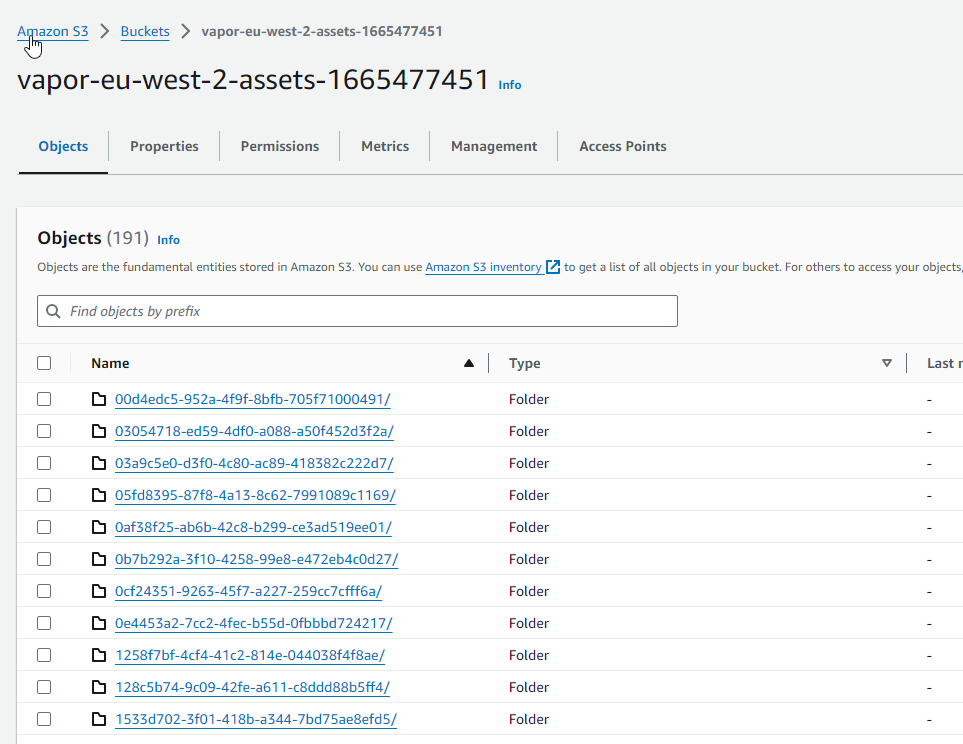
Each Vapor deployment will get it's own asset folder in S3 which is exposed in cloudfront, this value is also passed to the Lambda environment.
Further during deployment laravel-vapor is then used to